Skip to content

MAINSTREAM MUSIC,
INSIDE DAVINCI RESOLVE

The Lickd plugin for DaVinci Resolve puts our full catalogue of claims-managed mainstream music inside your editor, so you can find the right song without leaving your timeline.

Requires desktop (macOS or Windows)

NO MORE
TAB SWITCHING

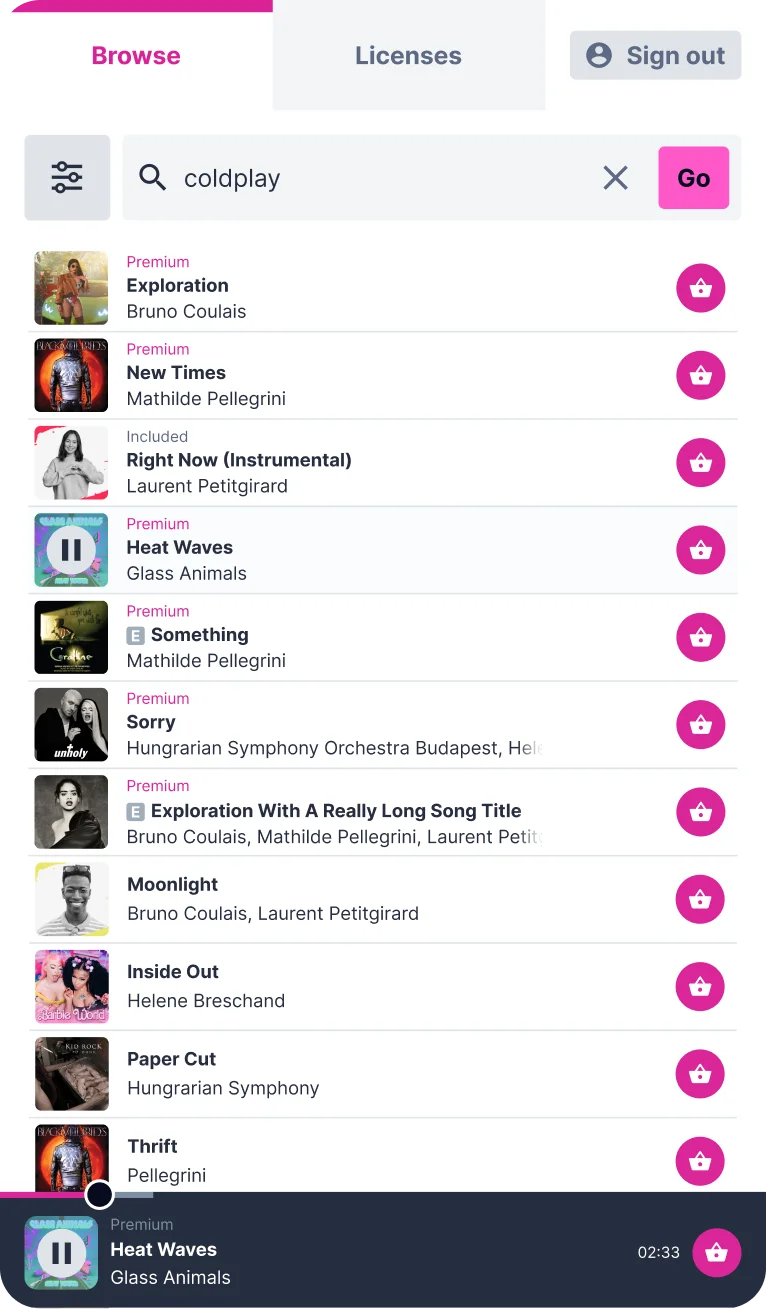
Our full catalogue of 1.4+ million tracks,
searched from inside your editing suite

Instead of jumping between browser tabs, find hits from Warner, Universal and BMG, preview them on your timeline and add them to your project, all from one panel.


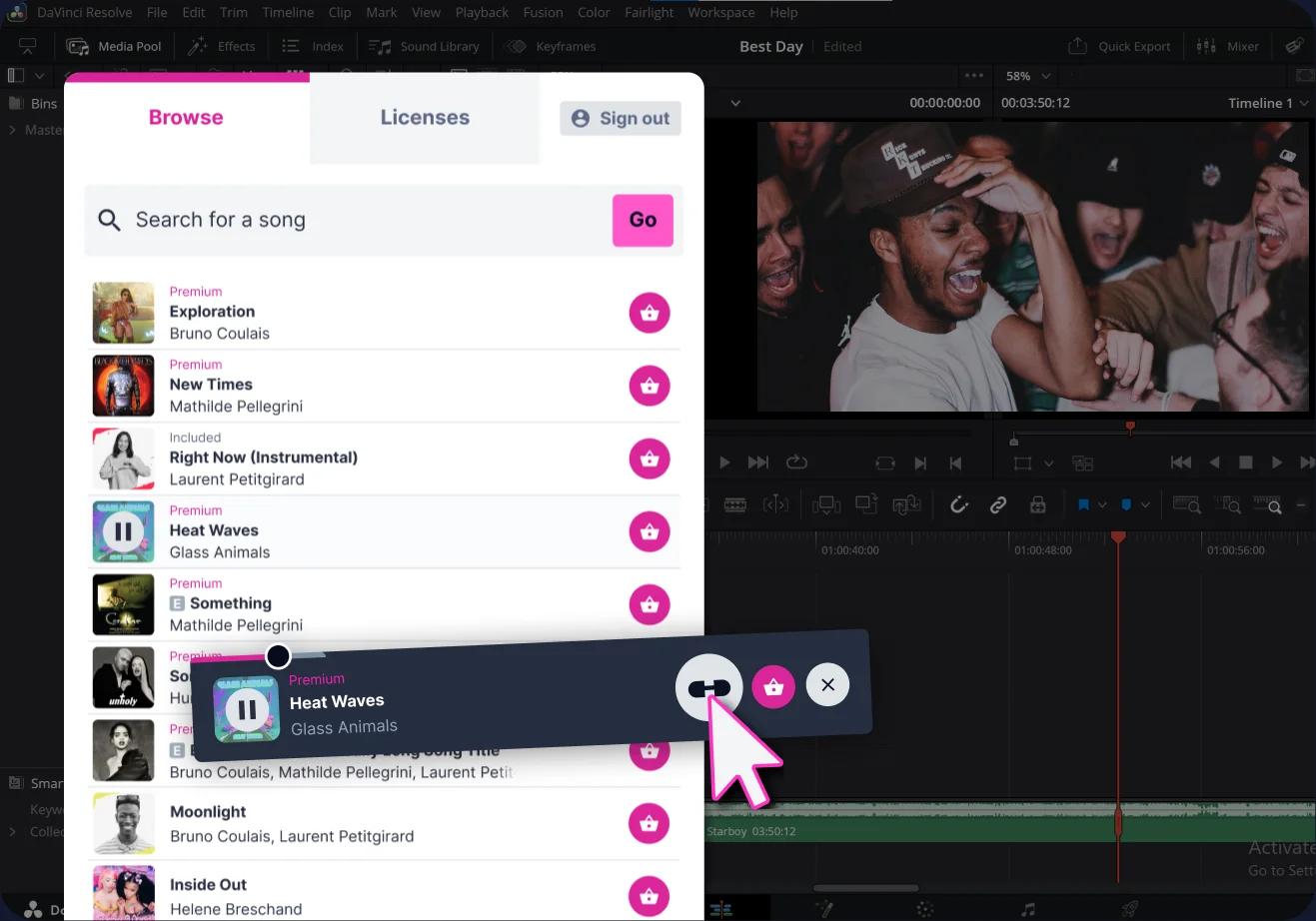
Locking a track to the timeline with the Lickd plugin in DaVinci Resolve

TRY TRACKS ON
YOUR TIMELINE

Lock a track to your DaVinci Resolve
timeline and hear how it sounds in real time

Try as many tracks as you like before you choose. That way, there are no wasted downloads and no licences you don’t need.

LICENSE TRACKS IN
A FEW CLICKS

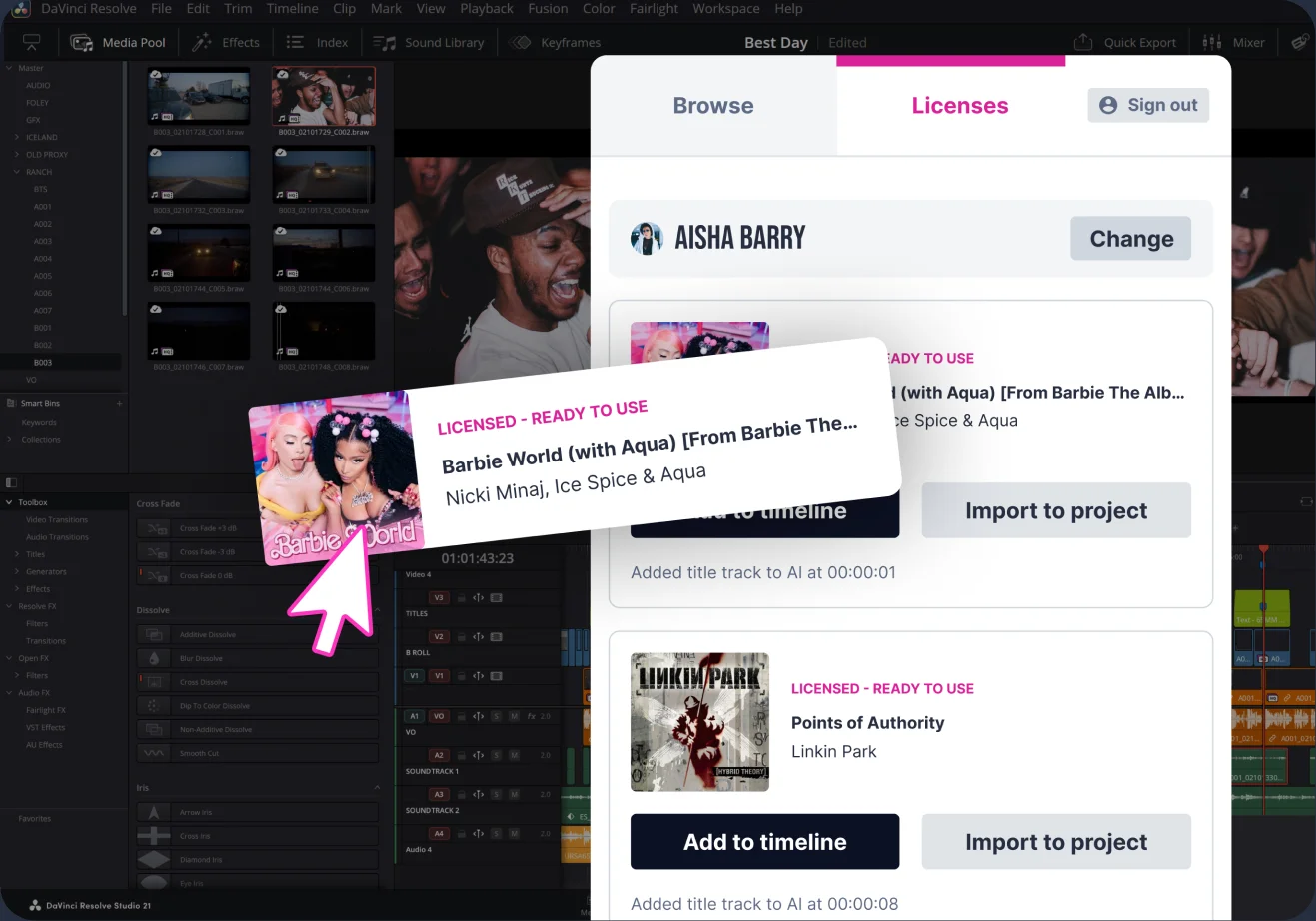
Pick a track, license it, then keep editing

Because every track is claims-managed and YouTube-ready, you can publish with confidence and keep your ad revenue.

Licensing a track with the Lickd plugin in DaVinci Resolve

How to install the DaVinci Resolve plugin

Download for Mac and Download for Windows buttons

1. Download

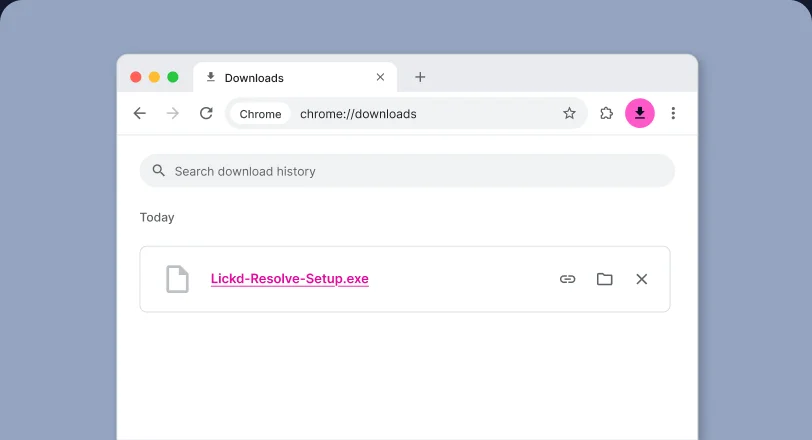
Choose the download for your Mac or Windows computer.

The Lickd Resolve installer in the browser downloads list

2. Install

Next, quit DaVinci Resolve, then run the installer and follow the on-screen instructions.

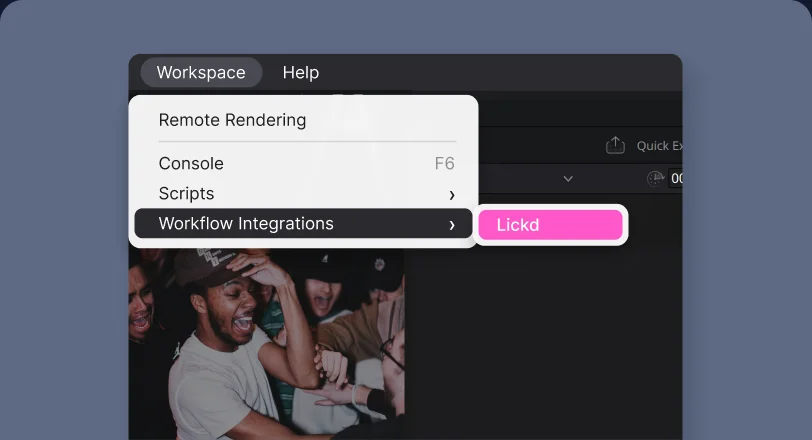
Workspace, Workflow Integrations, Lickd menu in DaVinci Resolve

3. Launch

Then, open a project in DaVinci Resolve and go to Workspace > Workflow Integrations > Lickd. Finally, sign in to see your licences and favourites.

Frequently asked questions

  • Do I need a Lickd subscription to use the plugin?

    No, you just need a free Lickd account. Once you’re signed in, you can search and preview the full catalogue. Then, when you’re ready to add tracks to a video, you can use track credits from a subscription plan or buy them individually.

  • Will I get copyright claims if I use music from the DaVinci Resolve plugin?

    Every track you get through the plugin comes with protection from copyright claims. So if a claim does appear on your video, most are cleared automatically within 30 minutes, and our dedicated team clears the rest. That way, you can publish with confidence and keep your monetisation. Read more about how we clear claims.

  • Which versions of DaVinci Resolve does the plugin support?

    The Lickd DaVinci Resolve music plugin works with DaVinci Resolve Studio 19 and later on both Mac and Windows. However, it isn’t available in the free version of DaVinci Resolve, as that version doesn’t support plugins.

  • How do I update the DaVinci Resolve music plugin?

    Simply download the latest version from this page, then follow the install steps above. Once it’s installed, reopen DaVinci Resolve and you’re ready to go.